
You’ve heard of ChatGPT. Maybe you’ve tried Claude or Gemini. But there’s a newer AI tool specifically designed for deep research and document analysis that’s changing how businesses work.
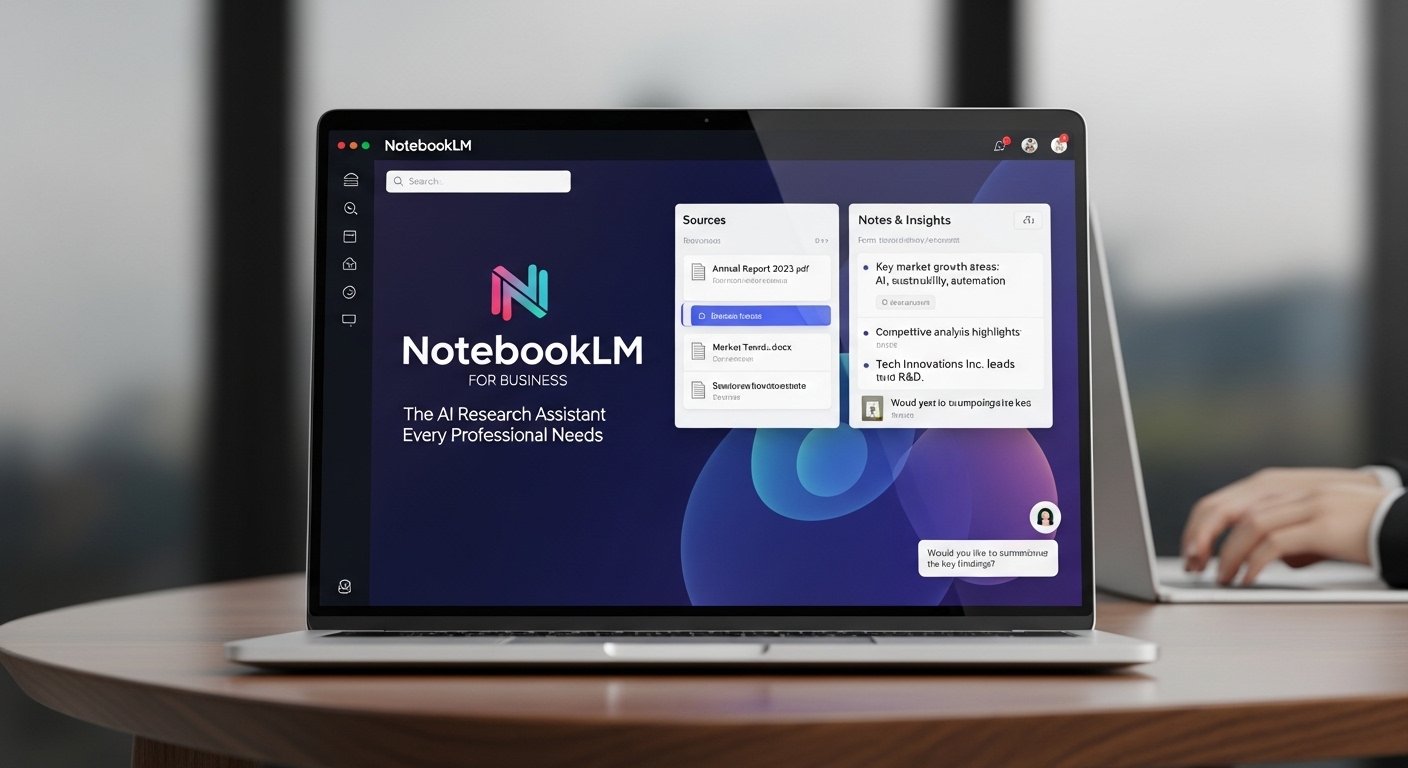
NotebookLM from Google Labs is an AI-powered notebook that understands your documents. Unlike general AI chatbots, it only works with sources you provide—ensuring accurate, grounded responses. This makes it invaluable for business research, market analysis, and content creation.
The Key Insight: NotebookLM differs from other AI tools because it “reads” only your uploaded documents. When it answers questions, it cites sources directly from your materials. This means no hallucinations, no made-up facts—just accurate, traceable insights from your actual documents.
What is NotebookLM?
NotebookLM is Google’s experimental AI notebook that combines language model capabilities with document understanding. You upload your sources—PDFs, articles, reports, transcripts—and it becomes an expert on those materials.
How It Differs From Other AI Tools
- Source-grounded: Only answers from your uploaded documents
- Citation-based: Every answer cites specific sources
- No internet access: Works purely on your materials
- Privacy-focused: Your documents stay private
- Conversation memory: Remembers your entire conversation context
Why This Matters for Business: When you’re analyzing sensitive business documents, market research, or proprietary data, you don’t want AI making things up or pulling outdated information. NotebookLM guarantees every insight comes from your actual sources.
Key Features for Business
NotebookLM offers features specifically designed for professional use.
1. Audio Overviews
Transform documents into podcast-style audio discussions. Two AI hosts summarize and discuss your materials conversationally.
Use for Training
Convert lengthy reports into engaging audio summaries for team training sessions.
Use for Commuting
Turn research papers into podcast episodes to consume during travel time.
2. Question & Answer
Ask anything about your documents and get instant, cited answers.
EXAMPLE QUESTIONS FOR BUSINESS:

"Based on the competitor analysis report, what are
their three biggest weaknesses we could exploit?"

"Summarize the key points from the market research
that support our pricing strategy."

"What risks does the legal document identify that
we haven't addressed?"
3. Smart Notes
Create notes that automatically link to relevant sections in your sources.
Create a note for each key insight. NotebookLM will automatically find and link supporting evidence from your sources. Build a knowledge base that grows with every document you upload.
4. Source Search
Instantly find information across all your uploaded documents.
- Search across 100+ documents simultaneously
- Find specific statistics, quotes, or data points
- Identify connections between different sources
- Extract relevant sections for new documents
Business Applications
Here are practical ways businesses use NotebookLM daily.
Market Research Analysis
Transform Raw Data Into Insights
Upload competitor reports, industry analyses, and market studies. Ask NotebookLM to identify trends, opportunities, and threats across all sources.
Instead of reading 500 pages, get a 10-minute briefing on what matters.
MARKET RESEARCH WORKFLOW:

1. Gather Sources
- Industry reports (PDF)
- Competitor websites (export to PDF)
- Market studies
- Trade publications

2. Upload to NotebookLM
- Create new notebook: "Q4 Market Analysis"
- Add all 15 documents

3. Ask Key Questions
- "What emerging trends appear across multiple sources?"
- "What opportunities exist that competitors aren't addressing?"
- "What threats should we prioritize?"

4. Generate Audio Overview
- Create podcast summary for team presentation
Due Diligence & Legal Review
When evaluating partnerships, acquisitions, or contracts, analyze documents thoroughly without weeks of review.
Contract Analysis
Upload contracts, ask about specific clauses, identify risks, and summarize key obligations.
Partnership Evaluation
Review partnership proposals, compare terms, and highlight concerns before negotiations.
Content Creation Support
Use your existing content as a knowledge base for creating new materials.
CONTENT CREATION WORKFLOW:

1. Upload Your Assets
- Past blog posts
- Whitepapers
- Case studies
- Industry research

2. Generate Content Ideas
- "Based on these documents, what questions
  are our customers asking?"

3. Create First Drafts
- "Write a blog post about the main themes
  in these sources."

4. Maintain Consistency
- NotebookLM learns your voice and terminology
- Generates content that matches your style
Important: Always verify generated content. While NotebookLM cites sources accurately, AI can still misinterpret information. Use it as a research assistant, not a replacement for human judgment.
Product Review Analysis
Upload customer feedback, reviews, and survey responses to extract actionable insights.
Step 1: Gather Reviews
Export reviews from Amazon, Google, Trustpilot, or your own surveys into PDFs.
Step 2: Upload to NotebookLM
Create a notebook: “Customer Feedback Q1 2026”
Step 3: Ask Questions
“What are the top 5 complaints?” “What features do customers love most?” “What suggestions appear repeatedly?”
SAMPLE ANALYSIS QUESTIONS:

"What percentage of reviews mention pricing concerns?"

"What specific product features receive the most praise?"

"What competitors are mentioned, and in what context?"

"What new features do customers request most frequently?"

"Are there seasonal patterns in satisfaction ratings?"
Team Training & Knowledge Management
Build a company knowledge base that makes onboarding and training effortless.
Employee Onboarding
- Policy manuals: New hires ask questions, get instant answers
- Training materials: Audio overviews for different learning styles
- Process documentation: Step-by-step guides generated from existing docs
- Company history: New hires learn context quickly
Knowledge Retention
One marketing agency uploads all client briefs, campaign results, and strategy documents to a shared NotebookLM. Team members ask questions like “What worked in previous fintech campaigns?” and get instant, cited answers. Knowledge that used to live in people’s heads is now accessible to everyone.
Real-World Business Applications
Scenario 1: The Market Research Agency
THE CHALLENGE:
Sarah runs a market research agency. Her team
analyzes hundreds of pages of data for each client
project. Traditional analysis takes 2-3 weeks.

HER NOTEBOOKLM WORKFLOW:

1. Client sends documents:
   - 15 competitor websites (PDFs)
   - 3 industry reports
   - 50 customer interviews (transcripts)

2. Uploads all to NotebookLM
   - Creates notebook: "Client X Research"

3. First-day analysis:
   - "What are the market size estimates?"
   - "What competitive advantages are mentioned?"
   - "What pricing strategies do competitors use?"

4. Client presentation:
   - Generates Audio Overview for executives
   - Creates summary notes with citations
   - Builds presentation deck in half the time

RESULT:
Analysis time: 2-3 weeks → 4-5 days
Client satisfaction increased
Team handles 3x more projects
Scenario 2: The Solo Consultant
THE CHALLENGE:
Marcus is a business consultant. He reads constantly—
industry news, research papers, case studies. Too
much to remember, too much to search through.

HIS SYSTEM:

1. Creates daily reading habit
   - Saves articles to reading list
   - Weekly batch converts to PDFs

2. Uploads to "Research Library" notebook
   - Tags sources by topic
   - Notes key insights as he reads

3. Before client meetings:
   - Asks NotebookLM relevant questions
   - "What does research say about change
     management failures?"
   - "What case studies involve retail industry
     transformations?"

4. During sessions:
   - Cites sources in real-time
   - "According to the McKinsey report..."

RESULT:
Appears to have read everything
Actually read summaries and asked the right questions
Bills 20% higher due to perceived expertise
Scenario 3: The Startup Founder
THE CHALLENGE:
Priya is launching a SaaS product. She needs to
understand regulations, competitor strategies, and
investor expectations—but has limited time.

HER WORKFLOW:

1. Investor Materials
   - Uploads VC pitch decks from similar companies
   - Asks: "What metrics do investors prioritize?"
   - Asks: "What common mistakes do founders make?"

2. Regulatory Research
   - Uploads GDPR docs, industry regulations
   - Asks: "What compliance requirements apply to
     SMB software in EU markets?"

3. Competitive Analysis
   - Uploads competitor landing pages, blog posts
   - Asks: "What messaging angles do competitors use?"
   - Asks: "What gaps exist in their positioning?"

RESULT:
Prepared for investor meetings in days
Launched with confident regulatory understanding
Positioning differentiated from competitors
Best Practices for Business Use
Organization Tips
| Approach | When to Use |
|---|---|
| One notebook per project | Client work, specific research projects |
| One notebook per client | Ongoing relationships, recurring analysis |
| One notebook per topic | Industry research, competitive intelligence |
| Shared notebooks | Team collaboration, knowledge management |
Quality Tips
- Use quality sources: Garbage in, garbage out. Upload well-structured documents.
- Ask specific questions: “What are the risks?” beats “Tell me about this.”
- Verify citations: Click source links to confirm accuracy.
- Iterate your questions: Follow up answers with more specific queries.
- Use Audio Overview: Great for sharing insights with team members who prefer listening.
NotebookLM is free during Google’s experimental phase. Use it extensively now to build workflows before potential monetization. The core features will likely remain accessible even if pricing changes.
Limitations to Consider
| Limitation | Workaround |
|---|---|
| No internet access | Download web content as PDFs first |
| Maximum source size | Split large documents into sections |
| No real-time data | Use for historical analysis, not breaking news |
| Experimental product | Keep backups of critical notebooks |
Start Using NotebookLM Today
NotebookLM represents a shift in how professionals interact with information. Instead of reading everything and hoping to remember key insights, you can ask questions and get grounded answers from your actual documents.
Day 1
Create an account, upload your most important current project documents.
Day 2-3
Ask 20+ questions about your documents. Practice querying different aspects.
Day 4-5
Generate an Audio Overview. Try the podcast feature on a report.
Week 2
Integrate into your regular workflow. Use for research, content creation, or team training.
The Bottom Line: In a world of AI tools that hallucinate and make things up, NotebookLM offers something valuable: accuracy grounded in your actual documents. For business professionals who need reliable insights from their research, this is a game-changer.
Frequently Asked Questions
Is NotebookLM free to use for business?
Is my data private and secure?
What file types can I upload?
Can I share notebooks with my team?
How does NotebookLM differ from ChatGPT?
Related Articles
- Content Marketing That Actually Converts
- Multiple Streams of Income: 20 Ways to Diversify
- How to Start a Consulting Business