
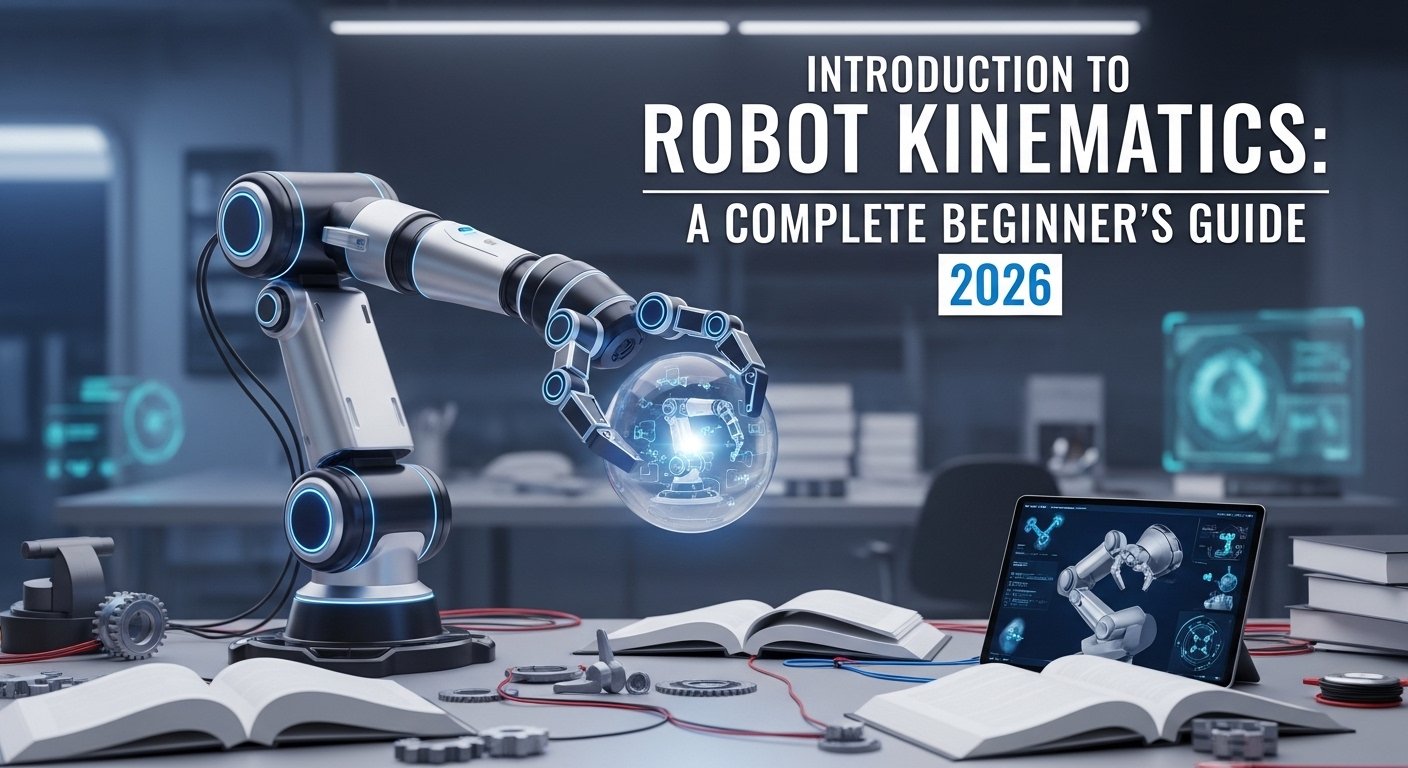
Kinematics is the study of motion without considering forces. In robotics, kinematics answers a fundamental question: How does a robot move? Given joint angles, where is the robot’s hand? Given a target position, what joint angles are needed?
These questions sound simple, but the mathematics behind robot motion is complex. This guide breaks down robot kinematics into digestible concepts, starting from the mathematical foundations and building up to practical implementations you can use in your own robotics projects.
Prerequisites: This guide assumes basic mathematics knowledge including trigonometry, matrices, and vectors. If you need to brush up on these topics, review our 50-Step Robotics Learning Guide Phase 1 (Mathematical Foundations).
What Is Robot Kinematics?
Robot kinematics describes the motion of robots mathematically. It encompasses:
- Forward Kinematics (FK): Given joint angles, calculate end-effector position and orientation
- Inverse Kinematics (IK): Given desired end-effector position, calculate required joint angles
- Velocity Kinematics: Relationship between joint velocities and end-effector velocities
- Jacobians: Matrices that describe these velocity relationships
Why Kinematics Matters
| Aspect | Forward Kinematics | Inverse Kinematics |
|---|---|---|
| Input | Joint angles | End-effector position/orientation |
| Output | End-effector pose | Required joint angles |
| Complexity | Straightforward calculation | Complex, may have multiple solutions |
| Use Case | Simulation, visualization | Motion planning, control |
| Always Solvable? | Yes | Sometimes (singularities, unreachable) |
Real-World Example: When you program a robot arm to pick up an object, you use inverse kinematics to calculate what joint angles will position the gripper at the object. Then forward kinematics verifies the calculated position is correct.
Mathematical Foundations
Before diving into kinematics, let’s review the mathematical tools you’ll need.
Coordinate Systems and Frames
A robot operates in 3D space. To describe positions and orientations, we use coordinate frames:
- World Frame: Fixed reference frame, usually at robot base
- Joint Frames: Attached to each link, move with the robot
- End-Effector Frame: At the robot’s tool or gripper
Rotation Matrices
Rotation matrices describe how to rotate coordinate frames in 3D space. They are 3×3 orthogonal matrices where the determinant equals 1.
Basic Rotation Matrices
# Rotation about X-axis by angle θ
Rx(θ) = | 1      0        0     |
        | 0   cos(θ)  -sin(θ) |
        | 0   sin(θ)   cos(θ) |

# Rotation about Y-axis by angle θ
Ry(θ) = |  cos(θ)   0   sin(θ) |
        |    0       1     0    |
        | -sin(θ)    0   cos(θ) |

# Rotation about Z-axis by angle θ
Rz(θ) = | cos(θ)  -sin(θ)   0 |
        | sin(θ)   cos(θ)    0 |
        |   0        0       1 |
Python Implementation
import numpy as np

def rotation_matrix_x(theta):
    """Rotation about X-axis"""
    c = np.cos(theta)
    s = np.sin(theta)
    return np.array([
        [1, 0, 0],
        [0, c, -s],
        [0, s, c]
    ])

def rotation_matrix_y(theta):
    """Rotation about Y-axis"""
    c = np.cos(theta)
    s = np.sin(theta)
    return np.array([
        [c, 0, s],
        [0, 1, 0],
        [-s, 0, c]
    ])

def rotation_matrix_z(theta):
    """Rotation about Z-axis"""
    c = np.cos(theta)
    s = np.sin(theta)
    return np.array([
        [c, -s, 0],
        [s, c, 0],
        [0, 0, 1]
    ])
Homogeneous Transformation Matrices
Homogeneous transformation matrices combine rotation and translation into a single 4×4 matrix. This is the fundamental tool for robot kinematics.
# Homogeneous Transformation Matrix
# Combines rotation R (3x3) and translation t (3x1)

T = | R  t |   =   | R11 R12 R13 tx |
    | 0  1 |      | R21 R22 R23 ty |
                      | R31 R32 R33 tz |
                      |  0   0   0   1 |
Python Implementation
import numpy as np

def homogeneous_transform(R, t):
    """
    Create a 4x4 homogeneous transformation matrix
    R: 3x3 rotation matrix
    t: 3x1 translation vector
    """
    T = np.eye(4)
    T[:3, :3] = R
    T[:3, 3] = t.flatten()
    return T

def translation_matrix(tx, ty, tz):
    """Create a pure translation matrix"""
    return np.array([
        [1, 0, 0, tx],
        [0, 1, 0, ty],
        [0, 0, 1, tz],
        [0, 0, 0, 1]
    ])
Forward Kinematics
Forward kinematics calculates the end-effector pose given all joint variables. It’s a straightforward chain of transformations.
Two-Link Planar Robot Example
Let’s start with the simplest example: a planar robot arm with two links in a 2D plane.
Base → Joint 1 (θ1) → Link 1 (L1) → Joint 2 (θ2) → Link 2 (L2) → End EffectorMathematical Derivation
For a two-link planar robot:
End-Effector Position:
x = L1 * cos(θ1) + L2 * cos(θ1 + θ2)
y = L1 * sin(θ1) + L2 * sin(θ1 + θ2)

End-Effector Orientation:
φ = θ1 + θ2
Python Implementation
import numpy as np

def forward_kinematics_2link(theta1, theta2, L1, L2):
    """
    Forward kinematics for 2-link planar robot

    Args:
        theta1: Joint 1 angle (radians)
        theta2: Joint 2 angle (radians)
        L1: Length of link 1
        L2: Length of link 2

    Returns:
        x, y, phi: End-effector position and orientation
    """
    x = L1 * np.cos(theta1) + L2 * np.cos(theta1 + theta2)
    y = L1 * np.sin(theta1) + L2 * np.sin(theta1 + theta2)
    phi = theta1 + theta2

    return x, y, phi

# Example usage
L1, L2 = 1.0, 0.8  # Link lengths
theta1, theta2 = np.radians(45), np.radians(30)  # 45° and 30°

x, y, phi = forward_kinematics_2link(theta1, theta2, L1, L2)
print(f"End-Effector Position: x={x:.3f}, y={y:.3f}")
print(f"End-Effector Orientation: {np.degrees(phi):.1f}°")
Chain of Transformations
For complex robots with multiple joints, we chain homogeneous transformations:
T_total = T_base_joint1 × T_joint1_joint2 × T_joint2_joint3 × ... × T_last_endeffector

End-Effector Pose = T_total × [0, 0, 0, 1]^T
def forward_kinematics_chain(joint_angles, link_lengths, base_position=(0, 0, 0)):
"""
Forward kinematics using chain of transformations
Args:
joint_angles: List of joint angles in radians
link_lengths: List of link lengths
base_position: Base position (x, y, z)
Returns:
Homogeneous transformation matrix to end-effector
"""
T = np.eye(4)
# Apply base position
T[:3, 3] = base_position
cumulative_angle = 0
for i, (theta, length) in enumerate(zip(joint_angles, link_lengths)):
cumulative_angle += theta
# Rotate about Z axis (for revolute joint)
R_z = rotation_matrix_z(cumulative_angle)
# Translate along link
t = np.array([length, 0, 0])
# Link transformation
T_link = homogeneous_transform(R_z, t)
# Chain transformations
T = T @ T_link
return TDenavit-Hartenberg Parameters
The Denavit-Hartenberg (DH) convention provides a standardized method for assigning coordinate frames to robot joints. Every robot manipulator can be described using just 4 parameters per joint.
The Four DH Parameters
| Parameter | Symbol | Description | Joint Type |
|---|---|---|---|
| Link Length | ai | Distance along Zi from Xi to Xi+1 | Always |
| Link Twist | αi | Angle about Xi from Zi to Zi+1 | Always |
| Joint Offset | di | Distance along Zi from Xi-1 to Xi | Prismatic |
| Joint Angle | θi | Angle about Zi from Xi-1 to Xi | Revolute |
DH Transformation Matrix
Each joint transformation is computed as:
i-1T_i = Rz(θ_i) × Tz(d_i) × Tx(a_i) × Rx(α_i)

Where:
- Rz(θ_i) rotates about Z axis by joint angle
- Tz(d_i) translates along Z axis by link offset
- Tx(a_i) translates along X axis by link length
- Rx(α_i) rotates about X axis by link twist
Python DH Implementation
import numpy as np

def dh_transform(theta, d, a, alpha):
    """
    Compute DH transformation matrix

    Args:
        theta: Joint angle (radians) - rotation about Z
        d: Link offset - translation along Z
        a: Link length - translation along X
        alpha: Link twist - rotation about X

    Returns:
        4x4 homogeneous transformation matrix
    """
    ct = np.cos(theta)
    st = np.sin(theta)
    ca = np.cos(alpha)
    sa = np.sin(alpha)

    return np.array([
        [ct, -st*ca,  st*sa, a*ct],
        [st,  ct*ca, -ct*sa, a*st],
        [0,   sa,     ca,     d],
        [0,   0,      0,      1]
    ])

def forward_kinematics_dh(dh_params):
    """
    Forward kinematics using DH parameters

    Args:
        dh_params: List of (theta, d, a, alpha) tuples for each joint

    Returns:
        Homogeneous transformation to end-effector
    """
    T = np.eye(4)

    for params in dh_params:
        T_joint = dh_transform(*params)
        T = T @ T_joint

    return T

# Example: 3-DOF Robot Arm
dh_params = [
    (np.radians(45), 0.5, 0.3, 0),      # Joint 1
    (np.radians(30), 0.0, 0.4, 0),      # Joint 2
    (np.radians(60), 0.0, 0.3, 0),      # Joint 3
]

T_end = forward_kinematics_dh(dh_params)
print("End-Effector Transformation:")
print(T_end)
print(f"\nPosition: x={T_end[0,3]:.3f}, y={T_end[1,3]:.3f}, z={T_end[2,3]:.3f}")
Inverse Kinematics
Inverse kinematics (IK) solves the reverse problem: given a desired end-effector position, what joint angles achieve it?
This is harder than forward kinematics because:
- May have multiple solutions: Elbow-up vs elbow-down configurations
- May have no solution: Target outside workspace
- Singularities: Positions where small joint movements cause large end-effector motion
Analytical vs Numerical Solutions
| Method | Speed | Accuracy | Limitations |
|---|---|---|---|
| Analytical (Closed-form) | Fast | Exact | Only for simple robots (≤6 DOF) |
| Numerical (Iterative) | Slow | Approximate | Works for any robot |
| CCD (Cyclic Coordinate Descent) | Medium | Approximate | Good for real-time |
| Jacobian Inverse | Medium | Approximate | Handles singularities |
Analytical IK for 2-Link Robot
For the simple 2-link planar robot, we can derive a closed-form solution.
# Given: x, y, L1, L2
# Find: theta1, theta2

# Using law of cosines
c2 = (x² + y² - L1² - L2²) / (2 * L1 * L2)
theta2 = atan2(±√(1 - c2²), c2)

# Compute theta1
k1 = L1 + L2 * cos(theta2)
k2 = L2 * sin(theta2)
theta1 = atan2(y, x) - atan2(k2, k1)
import numpy as np
def inverse_kinematics_2link(x, y, L1, L2):
"""
Analytical inverse kinematics for 2-link planar robot
Args:
x, y: Desired end-effector position
L1, L2: Link lengths
Returns:
List of (theta1, theta2) solutions (radians)
"""
solutions = []
# Distance from base to target
r = np.sqrt(x**2 + y**2)
# Check reachability
if r > L1 + L2:
raise ValueError(f"Target unreachable: r={r:.3f} > L1+L2={L1+L2:.3f}")
if r < abs(L1 - L2):
raise ValueError(f"Target unreachable: inside minimum radius")
# Law of cosines for theta2
c2 = (x**2 + y**2 - L1**2 - L2**2) / (2 * L1 * L2)
c2 = np.clip(c2, -1, 1) # Handle numerical errors
# Two possible solutions for elbow
for sign in [1, -1]:
theta2 = np.arctan2(sign * np.sqrt(1 - c2**2), c2)
# Compute theta1
k1 = L1 + L2 * np.cos(theta2)
k2 = L2 * np.sin(theta2)
theta1 = np.arctan2(y, x) - np.arctan2(k2, k1)
solutions.append((theta1, theta2))
return solutions
# Example usage
L1, L2 = 1.0, 0.8
x, y = 1.5, 0.5
solutions = inverse_kinematics_2link(x, y, L1, L2)
print(f"Target: ({x}, {y})")
for i, (t1, t2) in enumerate(solutions):
print(f"Solution {i+1}: θ1={np.degrees(t1):.1f}°, θ2={np.degrees(t2):.1f}°")
# Verify solution
x_check, y_check, _ = forward_kinematics_2link(t1, t2, L1, L2)
print(f" Verification: ({x_check:.3f}, {y_check:.3f})")Numerical IK: Jacobian Inverse Method
For complex robots without closed-form solutions, we use numerical methods.
import numpy as np

def inverse_kinematics_numerical(
    desired_position,
    initial_angles,
    forward_fn,
    max_iterations=100,
    tolerance=1e-4,
    learning_rate=0.1
):
    """
    Numerical inverse kinematics using Jacobian transpose method

    Args:
        desired_position: Target (x, y, z) position
        initial_angles: Initial guess for joint angles
        forward_fn: Function that computes forward kinematics
        max_iterations: Maximum iterations
        tolerance: Position error tolerance
        learning_rate: Step size

    Returns:
        Solved joint angles
    """
    angles = np.array(initial_angles, dtype=float)

    for iteration in range(max_iterations):
        # Current position from forward kinematics
        current_pos = forward_fn(*angles)[:3, 3]

        # Error between desired and current
        error = np.array(desired_position) - current_pos

        # Check convergence
        if np.linalg.norm(error) < tolerance:
            print(f"Converged in {iteration} iterations")
            return angles

        # Compute Jacobian (numerical differentiation)
        epsilon = 1e-6
        J = np.zeros((3, len(angles)))
        for i in range(len(angles)):
            angles_plus = angles.copy()
            angles_plus[i] += epsilon
            pos_plus = forward_fn(*angles_plus)[:3, 3]
            J[:, i] = (pos_plus - current_pos) / epsilon

        # Jacobian transpose solution
        delta_theta = learning_rate * J.T @ error
        angles += delta_theta

    print(f"Warning: Did not converge in {max_iterations} iterations")
    return angles
Jacobian Matrices
The Jacobian matrix describes the relationship between joint velocities and end-effector velocities. It's essential for:
- Velocity control: Given desired end-effector velocity, compute joint velocities
- Singularity detection: Identify configurations where robot loses degrees of freedom
- Force control: Transform forces between joint and task space
Jacobian Definition
# For a robot with n joints:
# Joint velocities: q̇ = [q̇1, q̇2, ..., q̇n]ᵀ
# End-effector velocity: v = [vx, vy, vz, ωx, ωy, ωz]ᵀ (linear + angular)

# Jacobian relates them:
# v = J(q) × q̇

# Linear velocity Jacobian (first 3 rows):
J_v = [∂x/∂q1, ∂x/∂q2, ..., ∂x/∂qn]
     [∂y/∂q1, ∂y/∂q2, ..., ∂y/∂qn]
     [∂z/∂q1, ∂z/∂q2, ..., ∂z/∂qn]

# Angular velocity Jacobian (last 3 rows):
J_ω = [z1, z2, ..., zn]  (joint axes in end-effector frame)
Python Jacobian Implementation
import numpy as np

def compute_jacobian(angles, link_lengths, base_position=(0, 0, 0)):
    """
    Compute the Jacobian matrix for a serial manipulator

    Args:
        angles: List of joint angles (radians)
        link_lengths: List of link lengths
        base_position: Base position (x, y, z)

    Returns:
        6xN Jacobian matrix (linear + angular velocity)
    """
    n = len(angles)
    J = np.zeros((6, n))

    # Compute forward kinematics to get end-effector position
    T = np.eye(4)
    T[:3, 3] = base_position

    # Store intermediate positions
    positions = [np.array(base_position)]
    cumulative_angle = 0

    for theta, length in zip(angles, link_lengths):
        cumulative_angle += theta
        R_z = rotation_matrix_z(cumulative_angle)
        t = np.array([length, 0, 0])
        T_link = homogeneous_transform(R_z, t)
        T = T @ T_link
        positions.append(T[:3, 3])

    end_effector_pos = positions[-1]

    # Compute Jacobian columns
    for i in range(n):
        # Joint axis (Z-axis of each joint frame)
        R = np.eye(3)
        for j in range(i + 1):
            R = R @ rotation_matrix_z(angles[j])
        z_axis = R @ np.array([0, 0, 1])

        # Linear velocity: z_i × (p_ee - p_i)
        r = end_effector_pos - positions[i]
        J[:3, i] = np.cross(z_axis, r)

        # Angular velocity: just the joint axis
        J[3:, i] = z_axis

    return J

def jacobian_inverse(J):
    """
    Compute pseudoinverse of Jacobian
    Handles singularity by using damped least squares
    """
    # Singular value decomposition
    U, S, Vt = np.linalg.svd(J, full_matrices=False)

    # Damping for numerical stability near singularities
    threshold = 1e-4
    S_inv = S / (S**2 + threshold**2)

    # Pseudoinverse
    J_pinv = Vt.T @ np.diag(S_inv) @ U.T

    return J_pinv
Singularities
Singularities occur when the Jacobian loses rank. At these configurations:
- Certain directions become uncontrollable: Robot cannot move in some directions
- Joint velocities become infinite: Small end-effector movement requires infinite joint movement
- Common types: Wrist singularity, elbow singularity, reach limit singularity
def detect_singularity(J, threshold=1e-4):
    """
    Detect if robot is near a singularity

    Args:
        J: Jacobian matrix
        threshold: Minimum singular value threshold

    Returns:
        bool: True if near singularity
        float: Condition number (ratio of max/min singular values)
    """
    # Compute singular values
    U, S, Vt = np.linalg.svd(J)

    # Condition number (infinity at singularity)
    if S[-1] < threshold:
        return True, np.inf

    condition_number = S[0] / S[-1]
    return condition_number > 100, condition_number
Kinematics with ROS 2
ROS 2 provides robust kinematics support through robot_state_publisher and MoveIt.
Using robot_state_publisher
The robot_state_publisher uses your URDF to automatically compute forward kinematics.
# Launch robot_state_publisher with your robot description
ros2 launch robot_description display.launch.py

# It automatically:
# - Subscribes to /joint_states
# - Publishes /tf and /tf_static
# - Transforms all frames based on joint angles
Using MoveIt for Inverse Kinematics
MoveIt is the standard motion planning framework for ROS. It provides IK solving through the MoveGroup interface.
import rclpy
from rclpy.node import Node
from moveit_commander import MoveGroupCommander, RobotCommander, PlanningSceneInterface

class IKNode(Node):
    def __init__(self):
        super().__init__('ik_solver')

        # Initialize MoveIt
        self.robot = RobotCommander()
        self.scene = PlanningSceneInterface()
        self.group = MoveGroupCommander("manipulator")

        # Set reference frame
        self.group.set_pose_reference_frame("base_link")
        self.group.set_max_velocity_scaling_factor(0.5)
        self.group.set_max_acceleration_scaling_factor(0.5)

    def solve_ik(self, x, y, z, rx, ry, rz, rw):
        """
        Solve IK for given target pose

        Args:
            x, y, z: Position
            rx, ry, rz, rw: Orientation quaternion
        """
        # Set target pose
        target_pose = Pose()
        target_pose.position.x = x
        target_pose.position.y = y
        target_pose.position.z = z
        target_pose.orientation.x = rx
        target_pose.orientation.y = ry
        target_pose.orientation.z = rz
        target_pose.orientation.w = rw

        self.group.set_pose_target(target_pose)

        # Plan and execute
        plan = self.group.go(wait=True)
        self.group.stop()
        self.group.clear_pose_targets()

        # Return joint angles
        return self.group.get_current_joint_values()
Visualization and Simulation
Visualize your kinematics calculations to verify correctness.
import numpy as np
import matplotlib.pyplot as plt

def visualize_robot_2link(theta1, theta2, L1, L2, target=None):
    """
    Visualize 2-link planar robot arm

    Args:
        theta1, theta2: Joint angles (radians)
        L1, L2: Link lengths
        target: Optional (x, y) target position
    """
    fig, ax = plt.subplots(figsize=(8, 8))

    # Joint positions
    joint1 = (0, 0)
    joint2 = (
        L1 * np.cos(theta1),
        L1 * np.sin(theta1)
    )
    end_effector = (
        joint2[0] + L2 * np.cos(theta1 + theta2),
        joint2[1] + L2 * np.sin(theta1 + theta2)
    )

    # Plot links
    ax.plot([joint1[0], joint2[0]], [joint1[1], joint2[1]], 'b-', linewidth=4, label='Link 1')
    ax.plot([joint2[0], end_effector[0]], [joint2[1], end_effector[1]], 'g-', linewidth=4, label='Link 2')

    # Plot joints
    ax.scatter(*joint1, s=200, c='red', zorder=5, label='Joint 1')
    ax.scatter(*joint2, s=200, c='orange', zorder=5, label='Joint 2')
    ax.scatter(*end_effector, s=200, c='purple', zorder=5, label='End Effector')

    # Plot target if provided
    if target:
        ax.scatter(*target, s=200, c='green', marker='x', zorder=5, label='Target')
        # Draw reach circle
        circle = plt.Circle((0, 0), L1 + L2, fill=False, linestyle='--', color='gray')
        ax.add_patch(circle)

    # Configuration space
    ax.set_xlim(-(L1 + L2 + 0.5), L1 + L2 + 0.5)
    ax.set_ylim(-(L1 + L2 + 0.5), L1 + L2 + 0.5)
    ax.set_aspect('equal')
    ax.grid(True, alpha=0.3)
    ax.legend(loc='upper right')
    ax.set_xlabel('X Position')
    ax.set_ylabel('Y Position')
    ax.set_title(f'2-Link Robot Arm\nθ1={np.degrees(theta1):.1f}°, θ2={np.degrees(theta2):.1f}°')

    plt.tight_layout()
    plt.show()

# Example usage
theta1 = np.radians(45)
theta2 = np.radians(60)
L1, L2 = 1.0, 0.8

x, y, _ = forward_kinematics_2link(theta1, theta2, L1, L2)
visualize_robot_2link(theta1, theta2, L1, L2, target=(x, y))
Workspace Analysis
The workspace is the set of all positions the end-effector can reach. Understanding workspace helps with path planning and robot selection.
Reachable Workspace
def compute_workspace(L1, L2, resolution=100):
    """
    Compute reachable workspace for 2-link robot

    Args:
        L1, L2: Link lengths
        resolution: Grid resolution

    Returns:
        X, Y grids and reachable mask
    """
    # Maximum and minimum reach
    r_max = L1 + L2
    r_min = abs(L1 - L2)

    # Create grid
    extent = r_max + 0.5
    x = np.linspace(-extent, extent, resolution)
    y = np.linspace(-extent, extent, resolution)
    X, Y = np.meshgrid(x, y)

    # Check if each point is reachable
    distances = np.sqrt(X**2 + Y**2)
    reachable = (distances <= r_max) & (distances >= r_min)

    return X, Y, reachable

def plot_workspace(L1, L2):
    """Plot the reachable workspace"""
    X, Y, reachable = compute_workspace(L1, L2, resolution=200)

    fig, ax = plt.subplots(figsize=(10, 10))

    # Plot reachable region
    ax.contourf(X, Y, reachable.astype(int), levels=[0.5, 1.5], colors=['lightblue'])
    ax.contour(X, Y, reachable.astype(int), levels=[0.5], colors=['blue'], linewidths=2)

    # Draw workspace boundary
    theta = np.linspace(0, 2*np.pi, 100)

    # Outer boundary
    x_outer = (L1 + L2) * np.cos(theta)
    y_outer = (L1 + L2) * np.sin(theta)
    ax.plot(x_outer, y_outer, 'r-', linewidth=2, label='Maximum Reach')

    # Inner boundary
    if L1 != L2:
        x_inner = abs(L1 - L2) * np.cos(theta)
        y_inner = abs(L1 - L2) * np.sin(theta)
        ax.plot(x_inner, y_inner, 'orange', linewidth=2, label='Minimum Reach')

    ax.set_aspect('equal')
    ax.grid(True, alpha=0.3)
    ax.legend()
    ax.set_xlabel('X Position')
    ax.set_ylabel('Y Position')
    ax.set_title(f'Reachable Workspace (L1={L1}, L2={L2})')

    plt.tight_layout()
    plt.show()
Complete Working Example
Here's a complete example combining all concepts:
import numpy as np
import matplotlib.pyplot as plt

class RobotArm2Link:
    """2-Link Planar Robot Arm with FK and IK"""

    def __init__(self, L1=1.0, L2=0.8):
        self.L1 = L1
        self.L2 = L2
        self.theta1 = 0.0
        self.theta2 = 0.0

    def forward_kinematics(self, theta1=None, theta2=None):
        """Compute end-effector position"""
        if theta1 is None:
            theta1 = self.theta1
        if theta2 is None:
            theta2 = self.theta2

        x = self.L1 * np.cos(theta1) + self.L2 * np.cos(theta1 + theta2)
        y = self.L1 * np.sin(theta1) + self.L2 * np.sin(theta1 + theta2)

        return x, y

    def inverse_kinematics(self, x, y):
        """Solve IK - returns list of solutions"""
        r = np.sqrt(x**2 + y**2)

        # Check reachability
        if r > self.L1 + self.L2 + 1e-6:
            raise ValueError("Target outside maximum reach")
        if r < abs(self.L1 - self.L2) - 1e-6:
            raise ValueError("Target inside minimum reach")

        solutions = []
        c2 = (x**2 + y**2 - self.L1**2 - self.L2**2) / (2 * self.L1 * self.L2)
        c2 = np.clip(c2, -1, 1)

        for sign in [1, -1]:
            theta2 = np.arctan2(sign * np.sqrt(1 - c2**2), c2)
            k1 = self.L1 + self.L2 * np.cos(theta2)
            k2 = self.L2 * np.sin(theta2)
            theta1 = np.arctan2(y, x) - np.arctan2(k2, k1)
            solutions.append((theta1, theta2))

        return solutions

    def compute_jacobian(self, theta1=None, theta2=None):
        """Compute 2x2 Jacobian"""
        if theta1 is None:
            theta1 = self.theta1
        if theta2 is None:
            theta2 = self.theta2

        J = np.array([
            [-self.L1*np.sin(theta1) - self.L2*np.sin(theta1+theta2),
             -self.L2*np.sin(theta1+theta2)],
            [self.L1*np.cos(theta1) + self.L2*np.cos(theta1+theta2),
             self.L2*np.cos(theta1+theta2)]
        ])

        return J

    def visualize(self, target=None, title="Robot Arm"):
        """Visualize the robot arm"""
        x, y = self.forward_kinematics()

        # Joint positions
        j1 = (0, 0)
        j2 = (self.L1 * np.cos(self.theta1), self.L1 * np.sin(self.theta1))
        ee = (x, y)

        fig, ax = plt.subplots(figsize=(8, 8))

        # Links
        ax.plot([j1[0], j2[0]], [j1[1], j2[1]], 'b-', linewidth=6, label='Link 1')
        ax.plot([j2[0], ee[0]], [j2[1], ee[1]], 'g-', linewidth=6, label='Link 2')

        # Joints
        ax.scatter(*j1, s=200, c='red', zorder=5, label='Base')
        ax.scatter(*j2, s=200, c='orange', zorder=5, label='Elbow')
        ax.scatter(*ee, s=200, c='purple', zorder=5, label='End Effector')

        # Target
        if target:
            ax.scatter(*target, s=200, c='green', marker='*', zorder=5, label='Target')

        # Workspace circle
        circle = plt.Circle((0, 0), self.L1 + self.L2, fill=False, linestyle='--', color='gray')
        ax.add_patch(circle)

        ax.set_xlim(-2.5, 2.5)
        ax.set_ylim(-2.5, 2.5)
        ax.set_aspect('equal')
        ax.grid(True, alpha=0.3)
        ax.legend()
        ax.set_title(title)

        plt.tight_layout()
        plt.show()

# Demo usage
robot = RobotArm2Link(L1=1.0, L2=0.8)

# Set joint angles and visualize
robot.theta1 = np.radians(45)
robot.theta2 = np.radians(60)
print(f"FK: {robot.forward_kinematics()}")

# Solve IK for a target
target = (1.5, 0.5)
solutions = robot.inverse_kinematics(*target)
print(f"IK Solutions for {target}:")
for i, (t1, t2) in enumerate(solutions):
    print(f"  Sol {i+1}: θ1={np.degrees(t1):.1f}°, θ2={np.degrees(t2):.1f}°")

# Visualize with target
robot.visualize(target=target)
Troubleshooting Common Issues
Issue 1: IK Returns No Solutions
- Cause: Target outside robot's workspace
- Solution: Check target position is within reach (distance from base ≤ L1 + L2)
Issue 2: Robot Goes to Wrong Configuration
- Cause: Multiple IK solutions exist
- Solution: Implement joint limit constraints or select preferred solution
Issue 3: Singularity Warning
- Cause: Robot near configuration where Jacobian is singular
- Solution: Add singularity handling, use damped least squares
Additional Resources:
Next Steps: Continue Learning
- 3D Robot Arms: Apply these concepts to 6-DOF industrial robots
- Trajectory Planning: Generate smooth paths through multiple waypoints
- Differential Kinematics: Velocity and force relationships
- Dynamic Modeling: Include mass, inertia, and forces
- MoveIt Tutorials: Practice IK with real robot simulators
YouTube Channels
- Articulated Robotics - ROS kinematics tutorials
- Put Focus - Control theory and robotics
- Brian Douglas - Control systems explained
Conclusion
Robot kinematics is the foundation of robotic motion. You've learned:
- Forward kinematics: Calculate end-effector position from joint angles
- Inverse kinematics: Calculate joint angles for desired positions
- Denavit-Hartenberg parameters: Standard method for robot modeling
- Jacobian matrices: Velocity relationships and singularity detection
- Python implementations: Practical code you can use today
- ROS integration: Using robot_state_publisher and MoveIt
Your Challenge: Implement inverse kinematics for a 3-link planar robot. Then extend it to work with your Gazebo simulation to make a simulated robot arm reach for objects autonomously!
Related Guides: Continue your learning with Simulating Robots in Gazebo, Building Your First ROS Package, Autonomous Navigation with ROS 2, and Computer Vision with ROS 2.