

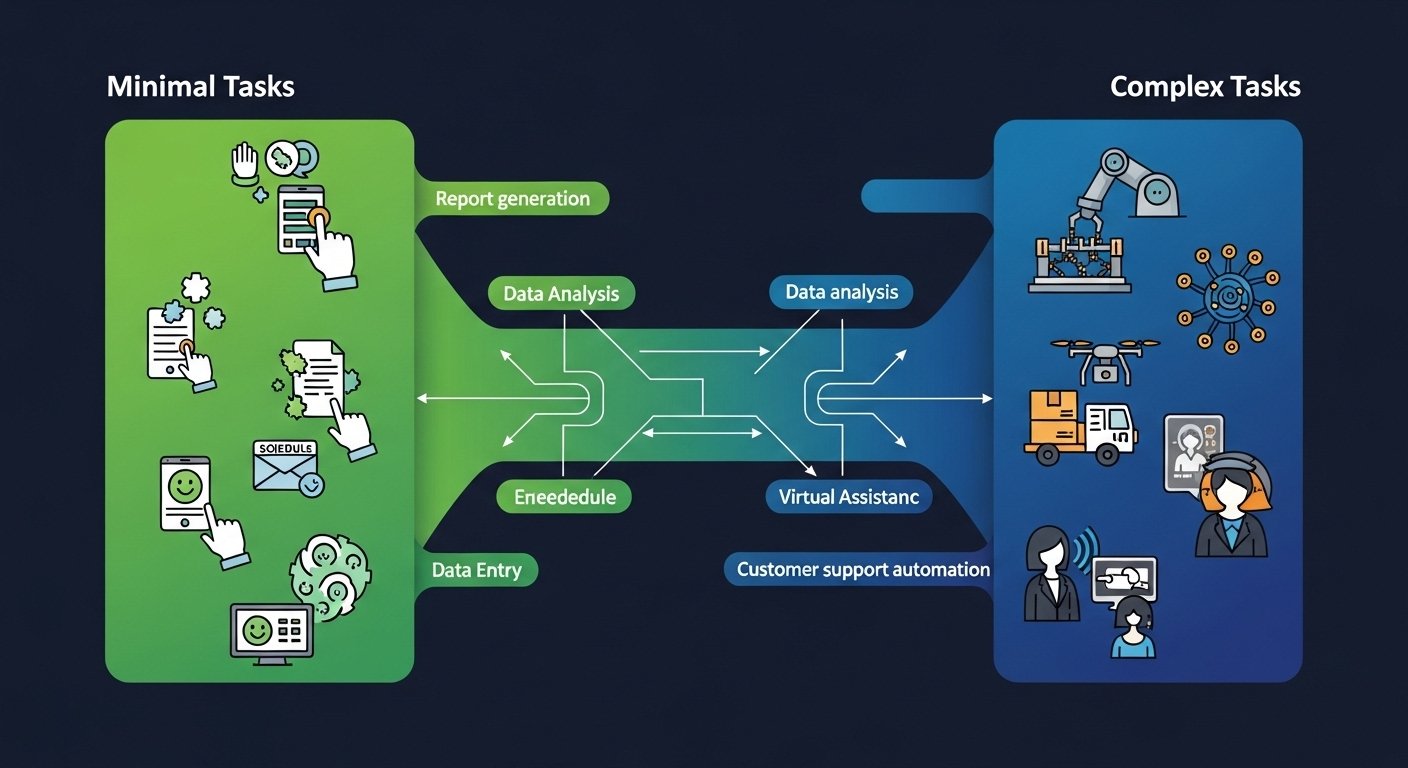
You’ve probably heard about “AI agents” and “automation” but wondered: “What can I actually automate? And what’s too complicated?”
This guide answers both questions completely. We’ll cover everything from simple automations anyone can set up in minutes to complex multi-step agents that run parts of your business automatically.
By the end, you’ll know exactly what’s possible with automation agents—and how to start automating your own work.
What is an Automation Agent? An automation agent is software that performs tasks automatically based on rules or AI instructions. Simple agents follow if-this-then-that rules. Advanced agents use AI to make decisions, adapt to situations, and complete complex multi-step tasks without constant guidance.
Types of Automation Agents
Not all agents work the same way. Understanding the types helps you choose the right one.
Agent Type 1: Rule-Based Automation
Follows strict if-this-then-that rules. No AI, just logic.
How It Works
IF email contains “unsubscribe” THEN move to folder
IF form submitted THEN add to spreadsheet
Best For
Repetitive, predictable tasks with clear rules. No judgment needed.
Agent Type 2: AI-Powered Agents
Uses artificial intelligence to make decisions and adapt.
How It Works
Reads emails, understands context, decides appropriate response
Analyzes data, identifies patterns, takes action
Best For
Tasks requiring judgment, interpretation, or handling exceptions.
Agent Type 3: Hybrid Agents
Combines rules and AI for more capable automation.
EXAMPLE: Customer Service Agent

RULE-BASED:
IF customer says "refund" → Follow refund policy
IF customer says "complaint" → Escalate to manager

AI-POWERED:
IF response unclear → Ask clarifying question
IF emotional customer → Use empathetic language

RESULT:
Handles 80% of queries automatically
Escalates complex issues to humans
What You CAN Automate: Simple Tasks
These automations take minutes to set up and save hours weekly.
Email & Communication
Auto-sort emails
Automatically move emails to folders based on sender, subject, or keywords.
Example: “If from vendor, move to Vendors folder”
Auto-reply to common emails
Send instant responses to routine inquiries when you’re unavailable.
Example: “I’m traveling, expect response in 3 days”
Schedule send emails
Write emails now, send at optimal times automatically.
Example: Send follow-ups Monday 9 AM
Auto-forward specific emails
Forward relevant emails to team members automatically.
Example: All billing emails to accountant
Social Media
Schedule posts
Create content once, publish automatically across platforms.
Example: Blog post → Auto-share to Twitter, LinkedIn, Facebook
Auto-respond to DMs
Send instant responses to common direct message questions.
Example: “Thanks for DM! See our FAQ here: [link]”
Delete old posts
Automatically remove posts older than X months.
Example: Keep Twitter tidy by deleting 6-month-old tweets
Share new content
When you publish new blog post, notify all social accounts.
Example: WordPress post → Buffer → All platforms
File Management
Auto-organize downloads
New files automatically move to correct folders.
Example: PDFs to Documents, images to Pictures
Backup files
Automatically copy new files to cloud storage.
Example: New Dropbox files → Backup to Google Drive
Rename files
Automatically rename files based on date, type, or content.
Example: “Invoice.pdf” → “Invoice_2024-01-15.pdf”
Convert file formats
Automatically convert new files to different formats.
Example: New Word docs → Auto-convert to PDFs
Task Management
Create tasks from emails
Turn emails into tasks with one click.
Example: Flag email → Creates task in Trello/Asana
Auto-reminders
Get reminded about follow-ups automatically.
Example: “If no reply in 7 days, send reminder”
Sync calendars
Keep all calendars in sync automatically.
Example: Google Calendar ↔ Outlook ↔ Apple Calendar
Time tracking
Track time on projects without manual entry.
Example: Start timer when opening project folder
Quick Win: These simple automations take 5-30 minutes to set up and save 30-60 minutes daily. Start with one that frustrates you most.
What You CAN Automate: Moderate Tasks
These automations require more setup but handle real business processes.
Customer Service
Auto-reply to common questions
AI reads support emails, drafts responses for your review.
Example: Pricing question → Draft accurate response
Sort and prioritize tickets
Automatically categorize and route support requests.
Example: Billing issue → Finance team, Tech issue → Support
Auto-respond with knowledge
Answer common questions using your knowledge base.
Example: “How do I reset password?” → Instant answer
Collect feedback automatically
Send satisfaction surveys after support interactions.
Example: Ticket closed → Send survey 1 hour later
Sales & Marketing
Lead scoring
Automatically score leads based on engagement.
Example: Visit pricing page + Downloaded guide = High priority
Auto-follow-up sequences
Automatically send follow-up emails based on behavior.
Example: No reply in 3 days → Send reminder email
Social monitoring
Track brand mentions and respond automatically.
Example: New mention → Alert + Auto-thank for positive
Content repurposing
Auto-convert content to different formats.
Example: Blog post → Twitter thread → LinkedIn post → Email
Finance & Operations
Invoice processing
Extract data from invoices automatically.
Example: Upload invoice PDF → Extract vendor, amount, date
Expense categorization
Automatically sort expenses into categories.
Example: Uber receipt → Travel expenses
Inventory tracking
Monitor stock levels and alert when low.
Example: Product hits 10 units → Order more + Alert
Data entry automation
Move data between apps without manual entry.
Example: New Shopify order → Create invoice in QuickBooks
HR & Administration
Screening resumes
AI reviews resumes, scores candidates automatically.
Example: New resume → Score relevance to job requirements
Schedule interviews
Automatically find meeting times and send invites.
Example: Candidate available → Find interviewer slot → Send invite
Onboarding sequences
Auto-send welcome emails and tasks to new hires.
Example: New employee → Day 1: Welcome email → Day 3: Setup guide → Day 7: Training
Document generation
Auto-generate contracts, proposals, reports.
Example: New client → Generate proposal from template
What You CAN Automate: Complex Tasks
These are advanced automations that handle sophisticated business processes.
Research & Analysis
AI Research Agents
Agents that browse the web, read documents, analyze data, and compile reports with minimal human input.
These agents can:
- Search for information across multiple sources
- Read and summarize documents
- Compare data from different sources
- Generate reports with citations
RESEARCH AGENT WORKFLOW:

1. Define research topic
   "Research competitor pricing for [product category]"

2. Agent breaks down task
   - Search 10 competitor websites
   - Extract pricing information
   - Compile comparison table
   - Generate summary report

3. Agent executes
   - Browses specified sources
   - Extracts relevant data
   - Structures information
   - Creates deliverable

4. Human reviews and approves
   - Verify accuracy
   - Add insights
   - Finalize report

RESULT:
Hours of research → Completed in minutes
Human adds final judgment and expertise
Customer Support Agents
Tier 1 Support
Handle common questions, refunds, basic troubleshooting.
Handles: 60-80% of tickets
Tier 2 Support
Handle technical issues, complex questions, exceptions.
Handles: 15-25% of tickets
Escalation Logic
Intelligently decide when to involve humans.
Handles: Identifying complex cases
Learning Loop
Improve from human corrections over time.
Handles: Continuous improvement
ADVANCED SUPPORT AGENT WORKFLOW:

1. Customer submits issue
   "My order hasn't shipped after 5 days"

2. Agent processes request
   - Looks up order in database
   - Checks shipping status
   - Reviews customer history
   - Analyzes similar past issues

3. Agent takes action
   - If simple: Resolves immediately
   - If complex: Drafts response + escalates

4. Agent response examples:

   SIMPLE (Auto-resolved):
   "Your order shipped yesterday. Tracking: [link]"

   COMPLEX (Escalates):
   "I see a shipping delay due to weather.
   I've added $10 credit to your account.
   I've flagged this for manager review."

5. Human reviews complex cases
   - Provides feedback
   - Agent learns for next time
Content Creation Agents
Research & Outline
Agent researches topic, creates detailed outline.
Input: “Write about [topic]”
Draft Generation
AI writes content based on outline and research.
Output: First draft with proper structure
Editing & Refinement
Agent polishes drafts, improves clarity, adds examples.
Output: Publication-ready content
Distribution
Agent reformats and publishes across platforms.
Output: Adapted versions for each channel
Sales Process Agents
COMPLETE SALES AUTOMATION:

Lead Enters System
       ↓
AI Qualifies Lead (score, intent, fit)
       ↓
Personalized Outreach (email, LinkedIn, call)
       ↓
Follow-up Sequences (based on behavior)
       ↓
Meeting Scheduling (auto-book calls)
       ↓
CRM Updates (auto-log all activities)
       ↓
Deal Analysis (predict close probability)
       ↓
Human Closes Deal (high-value conversations)
       ↓
Handoff to Onboarding (automated welcome)
Operations Agents
Supply Chain Monitoring
Track orders, predict delays, auto-adjust inventory orders.
Quality Control
Monitor production, flag defects, auto-quarantine issues.
Vendor Management
Track deliveries, flag late shipments, auto-penalize vendors.
Fraud Detection
Monitor transactions, identify suspicious patterns, auto-freeze accounts.
What You CANNOT Automate
Honesty matters. Some things still need humans.
Automation agents make mistakes. They have biases, miss context, and sometimes produce wrong outputs. Human oversight remains essential for important decisions.
| Hard to Automate | Why | What Helps |
|---|---|---|
| Complex judgment calls | Requires nuance, context, empathy | Agent drafts, human decides |
| Creative breakthroughs | Novel ideas come from human experience | Agent assists, human creates |
| High-stakes decisions | Legal, financial, medical consequences | Human approval required |
| Unpredictable situations | Agent training data doesn’t cover it | Escalation protocols |
| Building relationships | Genuine human connection matters | Human handles key relationships |
| Ethical dilemmas | Requires moral reasoning | Human reviews agent decisions |
Examples of Tasks That Need Humans
- Negotiating major deals — Relationships and trust matter
- Handling angry customers — Empathy and emotional intelligence required
- Making strategic decisions — Business strategy needs human vision
- Crisis management — Unexpected situations need creative solutions
- Hiring decisions — Cultural fit and judgment calls
- Legal matters — Contract interpretation requires expertise
Real-World Automation Scenarios
Scenario 1: The Solopreneur
THE PROBLEM:
Sarah runs a consulting business alone.
She spends 15 hours/week on admin work:
email, scheduling, invoicing, follow-ups.

HER AUTOMATION SETUP:

Simple (30 min setup):
- Email auto-sort to folders
- Schedule social posts in advance
- Auto-reply to common questions

Moderate (2 hours setup):
- New inquiry → Auto-assessment questionnaire
- Qualified leads → Calendar booking link
- Completed calls → Auto-summary to CRM

Complex (1 day setup):
- AI assistant handles initial client inquiries
- Drafts responses for Sarah's review
- Creates meeting prep summaries
- Auto-generates invoices post-meeting

RESULT:
Administrative work: 15 hours → 3 hours/week
Time freed for actual consulting
Revenue increased 40% (more client hours)
Scenario 2: The E-commerce Store
THE PROBLEM:
Mike runs a Shopify store with 200 orders/day.
Customer service is overwhelming.

AUTOMATION IMPLEMENTED:

Tier 1: Self-Service (Handles 70%):
- FAQ bot answers common questions
- Order tracking auto-lookup
- Return requests auto-processed

Tier 2: Auto-Assist (Handles 20%):
- AI drafts responses to support emails
- Mike reviews and approves in 1 minute
- Refund requests auto-reviewed

Tier 3: Human Escalation (10%):
- Complex issues flagged
- Customer upset? → Immediate human handoff
- High-value customer → VIP treatment

RESULT:
Response time: 24 hours → 2 hours
Customer satisfaction: Increased
Mike freed 15 hours/week
Reinvested in product development
Scenario 3: The Marketing Agency
THE PROBLEM:
5-person agency creates content for 20 clients.
Content creation is bottleneck.

AUTOMATION WORKFLOW:

Research Agent:
- Input: Client + topic
- Output: 5-page research brief
- Time: 10 minutes (vs 4 hours manual)

Draft Agent:
- Input: Research brief + brand voice
- Output: First draft
- Time: 5 minutes (vs 2 hours manual)

Human Editor:
- Review and refine
- Add client-specific insights
- Approve for publishing

Distribution Agent:
- Auto-reformat for each platform
- Auto-post with optimal timing
- Generate performance report

RESULT:
Content output: 4 posts/week → 15 posts/week
Quality maintained (human oversight)
Client satisfaction increased
Agency grew 60% without hiring
Getting Started with Automation
Here’s how to start automating your work.
Step 1: Audit Your Time
Track how you spend your work hours for one week. Identify repetitive tasks that take time but don’t require much thinking.
Step 2: Start Simple
Pick ONE repetitive task that annoys you. Automate it first. Use tools like Zapier, Make, or native app integrations.
Step 3: Add AI Gradually
Once comfortable with basic automation, add AI-powered tools for tasks requiring judgment or interpretation.
Step 4: Build Workflows
Connect multiple automations into complete workflows. “When X happens, do Y, then Z, then notify me.”
Automation Tools by Complexity
Simple
- Zapier (connect apps)
- IFTTT (simple triggers)
- Native app automations
- Email filters and rules
Moderate
- Make (advanced workflows)
- Buffer (social scheduling)
- ActiveCampaign (email automation)
- Intercom (customer chat AI)
Advanced
- Custom AI agents
- Agent frameworks
- Enterprise automation platforms
- Custom integrations
If you’ve never automated anything, start with email filters. They’re free, take 5 minutes, and teach you the automation mindset.
Your Automation Roadmap
Automation isn’t about replacing humans. It’s about freeing humans to do higher-value work.
This Week
Identify 3 repetitive tasks. Automate ONE this week.
This Month
Build your first automated workflow. Connect 3 apps together.
This Quarter
Implement one AI agent for a business process. Measure time saved.
This Year
Automate 50% of repetitive work. Focus on high-value activities.
The Bottom Line: Start small. Automate one annoying task this week. Build from there. The goal isn’t to automate everything—it’s to automate the tedious so you can focus on the meaningful.