
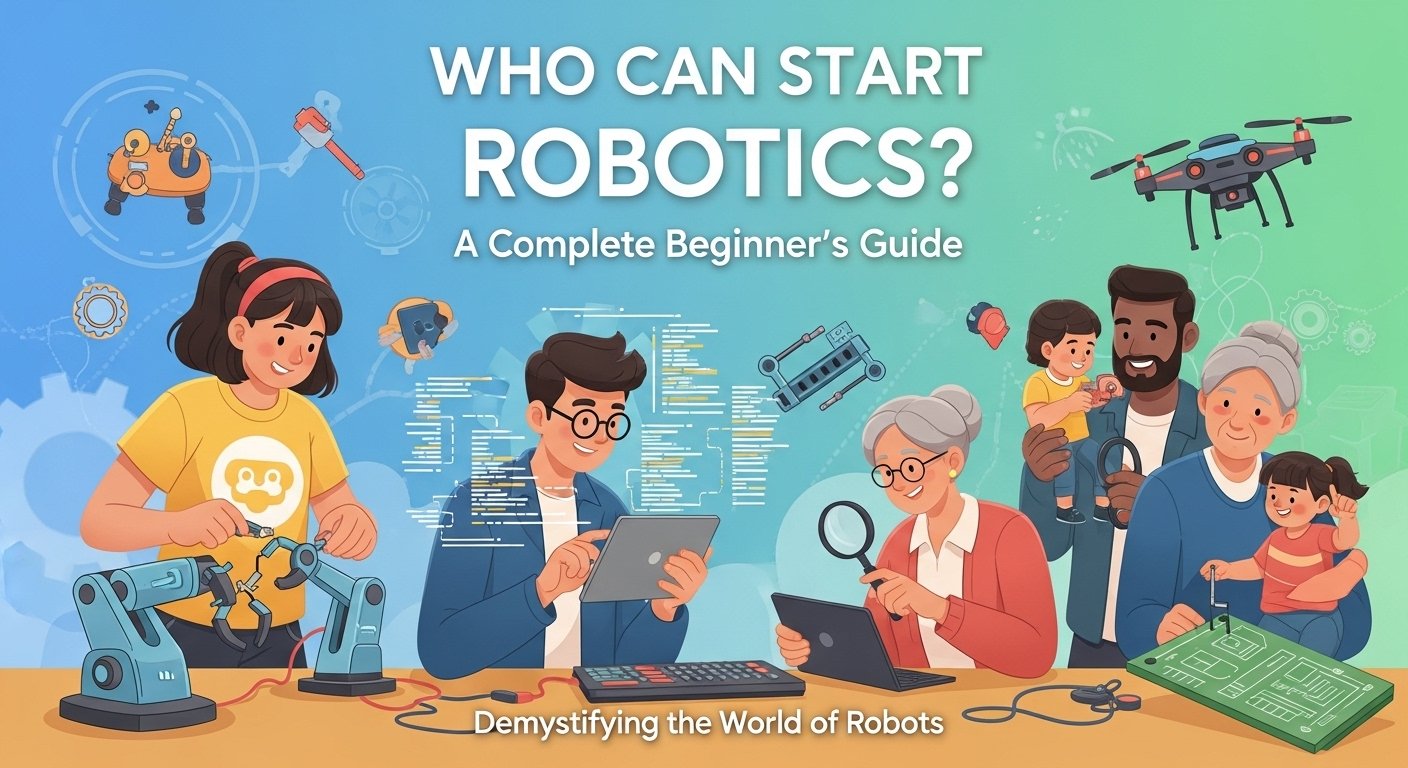
The question isn’t “Can I learn robotics?” The question is “Why haven’t you started yet?”
Every day, we interact with robots—in factories, hospitals, airports, and even our homes. The robotics industry is exploding, creating millions of jobs that didn’t exist a decade ago. And here’s the secret: you don’t need a PhD, a fortune, or even a background in science to join this revolution.
This guide breaks down exactly what you need to start robotics. No fluff, no gatekeeping—just honest answers about requirements, realistic expectations, and clear paths forward for everyone from curious kids to retirees.
The Bottom Line: Robotics is for everyone. Whether you’re 8 or 80, a high school dropout or a PhD holder, a coding genius or someone who’s never written a single line of code—there’s a place for you in robotics.
Who Can Start Robotics?
The short answer? Anyone. The longer answer requires explaining why robotics is uniquely accessible compared to other technical fields.
Breaking Down the Myths
| Myth | Reality |
|---|---|
| “You need a degree in robotics” | Most hobbyists have no degree. Many professionals transitioned from other fields. |
| “You must be good at math” | Basic robotics uses everyday math. Advanced robotics uses advanced math—but you can start with basic. |
| “It’s only for young people” | Robotics has successful practitioners from age 6 to 90+. Age is an advantage, not a barrier. |
| “You need expensive equipment” | $20 Arduino kits teach real robotics. No expensive robots required to start. |
| “You must be a genius programmer” | Block-based coding works for robotics. You can start with zero coding knowledge. |
| “It’s too complicated” | Start simple. A robot that follows a line is still robotics. |
The Truth About Robotics
Robotics is fundamentally about solving problems. And problem-solving is a skill everyone possesses. Whether you’re balancing a checkbook, assembling furniture, or playing chess—you’re already using the cognitive skills robotics requires.
The field encompasses so many disciplines that there’s room for:
- Artists: Who design robot aesthetics and human interaction
- Writers: Who create robot documentation and user guides
- Mechanics: Who build and maintain robot hardware
- Programmers: Who create robot behavior
- Teachers: Who educate others about robotics
- Hobbyists: Who build robots for fun and learning
Age Requirements: What Age Can You Start?
Short answer: You can start robotics at any age. Here’s the detailed breakdown:
Robotics by Age Group
| Age | Recommended Activities | Tools | Focus Areas |
|---|---|---|---|
| 4-7 years | Simple mechanical building, basic concepts | LEGO Duplo, early STEM toys | Cause and effect, sequencing |
| 8-12 years | Visual programming, simple robots | LEGO Spike, micro:bit, Scratch | Logic, problem-solving basics |
| 13-17 years | Real programming, complex projects | Arduino, Raspberry Pi, LEGO EV3 | Coding, electronics, mechanics |
| 18-25 years | Professional preparation, advanced projects | ROS kits, industrial robots | Career skills, specialization |
| 26-50 years | Career change, hobby, skill building | Any level based on background | Goal-oriented learning |
| 50+ years | Hobby, consulting, teaching | Beginner kits, simulation software | Learning pace, practical applications |
For Young Children (Ages 4-12)
Children as young as 4 can begin understanding robotics concepts through play. At this age, the focus isn’t coding—it’s understanding that actions cause reactions and that machines can follow instructions.
What works:
- LEGO building: Teaches spatial reasoning and mechanical concepts
- Bee-Bot: A simple robot that teaches sequencing and logic
- Dash and Dot: Kid-friendly robots with visual programming
- ScratchJr: Visual programming for ages 5-7
What to expect: At young ages, expect short attention spans and focus on fun. Learning happens through play, not lectures. Don’t push formal education methods on young children—let them explore.
For Teenagers (Ages 13-17)
This is the sweet spot for diving into real robotics. Teenagers have the cognitive development for abstract thinking, the fine motor skills for electronics work, and enough patience for complex projects.
What works:
- Arduino: Real electronics and programming
- Raspberry Pi: Full computer for Python projects
- LEGO Mindstorms EV3: Powerful yet accessible
- Online courses: Coursera, Udemy, YouTube tutorials
- Robotics competitions: FIRST Robotics, VEX
What to expect: Teenagers can handle frustration better than younger kids and can work on multi-session projects. They’re also motivated by peer competition and building impressive projects.
For Adults (Ages 18+)
Adults bring advantages children don’t: maturity, focus, real-world experience, and often clearer goals. Whether you’re 18 or 80, you can learn robotics.
What works:
- Self-paced online courses: Learn on your schedule
- Bootcamps: Intensive learning for career changers
- Hobbyist kits: Learn at your own pace
- University courses: For formal education seekers
- Books: Traditional learning combined with hands-on practice
What to expect: Adults often learn faster than children because of motivation and life experience. However, you may have more fear of failure to overcome. Remember: everyone starts as a beginner.
Key Insight: There’s no wrong age to start robotics. The best time to start is when you’re motivated and have time to learn. For children, that might be as soon as they can hold a building block. For adults, it could be today.
Minimum Education Requirements
Here’s the honest truth: there are no formal education requirements to start robotics. You can begin learning right now, today, with nothing more than internet access and a willingness to learn.
Formal Education vs Self-Taught
The robotics field is unique in how welcoming it is to self-taught practitioners. Many successful roboticists never completed a robotics degree—or any STEM degree at all.
What Formal Education Provides
- Structured learning: Curriculum designed by experts
- Credentials: Degrees that employers value
- Resources: Labs, equipment, professors
- Network: Connections with peers and industry
- Time: Years dedicated to focused learning
What Self-Taught Provides
- Flexibility: Learn at your own pace
- Relevance: Focus on what you need
- Cost: Free or low-cost resources
- Real-world skills: Problem-solving through actual projects
- Portfolio: Demonstrable work vs grades
Education Levels and Robotics Opportunities
| Education Level | Entry-Level Roles | Advanced Roles |
|---|---|---|
| No formal education | Hobbyist, maker, entry technician | Self-taught experts, YouTube educators |
| High school diploma | Robot operator, technician, assembler | Specialized technician, hobby business |
| Associate degree | Robotics technician, maintenance | Lead technician, small company roles |
| Bachelor’s degree | Robotics engineer, programmer, designer | Senior engineer, team lead |
| Master’s degree | Research engineer, specialist | Research lead, professor, architect |
| PhD | Academic researcher | Research director, chief scientist |
What You Actually Need to Know
While there’s no minimum education, certain knowledge areas help:
- High school level math: Algebra, basic geometry, some trigonometry
- Basic computer literacy: Using a computer, installing software
- Reading comprehension: Following tutorials and documentation
- Problem-solving mindset: Willingness to debug and iterate
- Curiosity: Desire to understand how things work
None of these require formal education. You can learn them through free online resources, books, or practical experience.
Math Requirements for Robotics
Math is the language of robotics. But here’s the good news: you don’t need to be a mathematician to build robots.
The Math You Actually Need
Robotics uses math at multiple levels. You can start with basic math and add more as needed.
| Math Topic | Required Level | When You Need It |
|---|---|---|
| Basic arithmetic | Everyone | All robotics |
| Algebra | Beginner+ | Programming, sensors |
| Geometry | Beginner+ | Robot dimensions, angles |
| Trigonometry | Intermediate | Kinematics, navigation |
| Linear Algebra | Advanced | Robot arms, transformations |
| Calculus | Advanced | Control systems, dynamics |
| Statistics/Probability | Advanced | SLAM, machine learning |
Starting with Minimal Math
You can build surprisingly complex robots with just basic math. Here’s proof:
What You Can Build with Basic Math (Arithmetic + Basic Algebra)
- Line-following robots: Follow a black line using simple sensor logic
- Obstacle-avoiding robots: Stop when sensor detects something
- Light-seeking robots: Move toward bright areas
- Remote-controlled robots: No math needed, just signal processing
- Temperature-controlled systems: Turn on/off based on readings
What You Need Intermediate Math For
- Robot arm positioning: Inverse kinematics
- Navigation systems: Path planning
- Sensor fusion: Combining multiple sensors
- Computer vision: Image processing
What Requires Advanced Math
- Advanced control systems: PID tuning, stability analysis
- Robot dynamics: How forces affect movement
- Machine learning: Training neural networks
- Research: Pushing the boundaries of robotics
Learning Math for Robotics
Don’t let math intimidate you. Here’s a practical approach:
- Start with what you know: If you can balance a checkbook, you know enough to start
- Learn as you go: Only learn math concepts when your robotics project needs them
- Use visual resources: 3Blue1Brown’s “Essence of Linear Algebra” and “Essence of Calculus” are excellent
- Practice with robotics: Apply math concepts to real robots—it’s more engaging than abstract problems
- Don’t memorize—understand: Know why formulas work, not just how to plug numbers in
Pro Tip: Most hobbyist robotics uses only basic algebra and geometry. You can build impressive projects without calculus, linear algebra, or any “advanced” math. Start now, and learn more math as your projects require it.
Computer Literacy Requirements
You need some computer skills to work with robots, but the bar is lower than you might think.
Required vs Optional Computer Skills
| Skill | Required? | Level Needed |
|---|---|---|
| Using Windows/Mac/Linux | Yes | Basic—browsing, file management |
| Installing software | Yes | Basic—next-next-finish |
| Using a web browser | Yes | Basic—navigation, downloads |
| File management | Yes | Basic—creating, moving, renaming files |
| Command line/Terminal | For advanced | Intermediate—basic commands |
| Text editing | For coding | Basic—notepad or IDE |
| Networking concepts | For advanced | Intermediate—IP, WiFi basics |
Starting with Minimal Computer Skills
If you can:
- Browse the internet
- Download and install apps
- Create and save files
- Follow written instructions
…then you have enough computer skills to start robotics.
Operating System Considerations
Most robotics software runs on Linux, but don’t let that scare you. Here’s the reality:
- Windows: Works for Arduino, LEGO, most beginner platforms
- macOS: Works for many platforms, some limitations
- Linux (Ubuntu): Required for ROS, industry standard
- Chromebook: Limited but possible with Linux support
Recommendation: Start with what you have. If you’re on Windows, start with Arduino. When you’re ready for ROS, install Ubuntu (it’s free and easy).
Coding Knowledge for Robotics
Here’s some surprising news: you don’t need to know coding to start robotics. But you’ll eventually want to learn.
Coding vs No-Coding Robotics
Robotics exists on a spectrum from pure no-coding to advanced programming.
| Coding Required? | Examples | Skill Level |
|---|---|---|
| None | LEGO building, mechanical assembly | Beginner |
| Visual/Block-based | mBlock, Scratch, LEGO EV3 | Beginner |
| Simple scripting | Arduino (copy-paste examples) | Beginner+ |
| Basic programming | Python for Raspberry Pi | Intermediate |
| Advanced programming | C++, ROS, embedded systems | Advanced |
Starting Without Coding Knowledge
You can absolutely begin robotics without any coding knowledge:
- Start with building: LEGO robotics focuses on construction first
- Use visual programming: Drag-and-drop code blocks teach logic without syntax
- Copy example code: Arduino kits come with working examples—just modify values
- Learn basics simultaneously: Pair hands-on robotics with beginner coding courses
Learning to Code for Robotics
Once you’re ready to code, here’s the progression:
Stage 1: Visual Programming (0-2 months)
- Scratch: Block-based coding for kids and beginners
- mBlock: Scratch-based for robots
- Blockly: Google’s visual programming environment
Stage 2: Python Basics (2-6 months)
- Why Python: Easiest syntax, most robotics libraries
- What to learn: Variables, loops, functions, conditions
- Resources: Codecademy Python, freeCodeCamp, CS50P
Stage 3: Arduino C/C++ (3-6 months)
- Why C/C++: Required for embedded systems and performance
- What to learn: Syntax differences from Python, pointers, memory
- Resources: Arduino examples, Paul’s Online Notes
Stage 4: Advanced (6+ months)
- ROS: Robot Operating System (primarily C++ and Python)
- Specialization: Computer vision, machine learning, controls
Simple Programming vs Full Robotics
Understanding the difference helps set expectations:
- Simple programming: Write code, run code, see output on screen
- Robotics: Write code, compile/upload, interact with physical world
- The gap: Motors don’t respond like monitors. Motors stall, sensors error, physical reality bites back
This gap is both a challenge and a reward. When your robot actually moves, it’s more satisfying than any screen-based program.
What Can You Make? (Easiest to Most Difficult)
Robotics spans an enormous range of complexity. Here’s what you can build at each level:
The Robotics Learning Ladder
| Difficulty | Project Examples | Time to Build | Skills Needed |
|---|---|---|---|
| Level 1: Beginner | Simple motor car, light follower, touch-activated bot | 1-4 hours | Basic assembly, no coding required |
| Level 2: Simple | Line-following robot, obstacle avoider, remote-controlled car | 1-3 days | Basic Arduino, simple sensors |
| Level 3: Intermediate | Bluetooth-controlled robot, voice-activated bot, wall follower | 1-2 weeks | Intermediate coding, multiple sensors |
| Level 4: Advanced | Autonomous maze solver, ROS-based robot, camera vision bot | 1-3 months | Advanced coding, ROS, computer vision |
| Level 5: Expert | Robot arm with IK, SLAM navigation, ML-integrated robot | 6+ months | Full robotics stack, advanced math |
Level 1 Projects: No Experience Needed
Perfect for: Complete beginners, children under 10, anyone intimidated by technology
- Motorized LEGO creation: Build a vehicle with a motor and battery
- Wind-up robots: Mechanical robots powered by springs or rubber bands
- Snap-together kits: Pre-made parts that require no tools
Level 2 Projects: Beginner Friendly
Perfect for: First-time coders, teenagers, adults new to electronics
- Line-following robot: Follows a black line on white surface
- Obstacle-avoiding robot: Detects walls and navigates around them
- Light-seeking robot: Moves toward bright light sources
- Clap-activated robot: Responds to sound to start/stop
Level 3 Projects: Intermediate
Perfect for: Those comfortable with basic Arduino/Python, ready for more complexity
- Bluetooth-controlled robot: Control via smartphone app
- Remote-controlled arm: Articulated arm with multiple servos
- Temperature-controlled fan: Automatically adjusts based on readings
- Maze-solving robot: Uses algorithms to navigate mazes
Level 4 Projects: Advanced
Perfect for: Those with programming experience, ready to learn professional tools
- ROS-based robot: Full ROS implementation with sensors
- Camera vision robot: Object detection using OpenCV
- Voice-controlled robot: Natural language processing integration
- Self-driving car: Miniature autonomous vehicle with lane detection
Level 5 Projects: Expert
Perfect for: Those with years of experience, pursuing robotics professionally
- Robot arm with inverse kinematics: 6-DOF arm that reaches specified positions
- SLAM robot: Simultaneously maps and navigates unknown environments
- Humanoid robot: Bipedal walking robot
- ML-integrated robot: Deep learning for perception and control
The Key Insight: You don’t have to climb the entire ladder to do meaningful robotics. A line-following robot at Level 2 teaches the same fundamental concepts as a million-dollar industrial robot. Start where you are.
How Seniors Can Start Robotics
You’re never too old for robotics. In fact, many aspects of robotics are easier for seniors than for children.
Advantages Seniors Bring
- Life experience: Decades of problem-solving skills
- Patience: Not rushed, can take time to understand
- Purpose: Often seeking specific meaningful applications
- Financial stability: Can afford quality equipment
- Wisdom: Know what you don’t know, ask better questions
Recommended Starting Points for Seniors
Option 1: LEGO Robotics
Why: Familiar building system, no electronics to confuse, instant satisfaction
- LEGO Mindstorms EV3 – $349.99
- LEGO Education SPIKE Prime – $399.95
Option 2: Arduino with Tutorial Kits
Why: Step-by-step guided learning, satisfying results quickly
- ELEGOO Complete Kit – $69.99
- SunFounder Super Kit – $59.99
Option 3: Raspberry Pi with Projects
Why: Modern computing, extensive community support
- Raspberry Pi 4 Kit – $75-100
Tips for Senior Learners
- Take your time: No deadlines, learn at comfortable pace
- Focus on one thing: Master basics before expanding
- Join senior-focused groups: Some libraries and community centers offer robotics for seniors
- Find a young mentor: Grandchildren often love teaching grandparents
- Celebrate small wins: Every LED that blinks is an achievement
Real Success Stories
Countless seniors have successfully learned robotics:
- Retirees building home automation: Creating custom solutions for their homes
- Grandparents learning with grandchildren: Bonding through shared projects
- Former engineers returning to electronics: Updating skills from decades ago
- Former teachers creating STEM programs: Using robotics to teach kids
How Beginners Without Prior Knowledge Can Start
You don’t know anything about robotics. That’s not a problem—it’s a starting point.
The Absolute Beginner’s Roadmap
Here’s a step-by-step path for total beginners:
- Week 1: Learn What Robotics Is
- Watch robotics videos on YouTube
- Read introductory articles
- Visit robotics museums or maker spaces
- No equipment needed—pure research
- Week 2: Choose Your Starting Point
- Option A: Buy a $30 Arduino kit
- Option B: Use LEGO Mindstorms (if available)
- Option C: Use online simulators
- Don’t overthink—any starting point works
- Week 3-4: Complete Your First Projects
- Follow tutorial instructions exactly
- Don’t try to modify yet—learn the basics
- Take notes on what works and what doesn’t
- Celebrate success when projects work
- Month 2: Experiment and Modify
- Change values in example code
- Try different sensor configurations
- Combine what you’ve learned
- Start debugging when things break (and they will!)
- Month 3: Choose Your Path
- Interested in programming? Focus on Python/Arduino
- Interested in mechanics? Learn CAD and building
- Interested in AI? Start learning machine learning
- Don’t know yet? Keep exploring all areas
No Prior Knowledge? No Problem!
Here’s what you need to know is absolutely false:
- “I don’t know electronics” → Kits come with everything labeled and tutorials explain everything
- “I can’t code” → Start with block programming, progress when ready
- “I’m not good at math” → Most hobbyist robotics uses basic arithmetic
- “I’m too old” → Robotics has practitioners of all ages
- “I don’t have money” → Start with free online simulators
- “I don’t have time” → Even 30 minutes daily leads to progress
Free Ways to Start Without Any Equipment
- Tinkercad – Free 3D design and circuit simulation
- Arduino Simulator – Free online Arduino simulator
- Gazebo – Free robot simulator
- The Construct Sim – Web-based ROS learning
- YouTube tutorials: Thousands of free robotics tutorials
Your Quick-Start Action Plan
Ready to start? Here’s exactly what to do today:
For Total Beginners (Start Today)
- Right now: Visit Arduino software page and download the free Arduino IDE
- Today: Watch “Arduino for Absolute Beginners” on YouTube
- This week: Order a basic Arduino kit ($25-40 on Amazon)
- This month: Complete 5 beginner projects from kit instructions
For Those Who Know Basic Coding
- This week: Install ROS 2 Humble (free, see our ROS Installation Guide)
- This month: Complete the ROS 2 beginner tutorials
- Next month: Build your first ROS package (see our ROS Package Guide)
For Those Wanting Serious Learning
- First: Complete our free 50-Step Robotics Learning Guide
- Then: Buy a TurtleBot 3 ($549) or equivalent ROS kit
- Follow: Official ROS tutorials at docs.ros.org
- Build: Multiple projects culminating in autonomous navigation
The Only Requirement: You need to actually start. Reading guides is great, but robotics is learned by doing. Buy a kit, download software, build something today.
Free Resources to Get Started
- Arduino Official Site: arduino.cc – Free software, tutorials, community
- Raspberry Pi Foundation: raspberrypi.org – Projects, resources, community
- ROS Official Tutorials: docs.ros.org – Free ROS 2 tutorials
- freeCodeCamp: freecodecamp.org – Free coding courses
- Khan Academy: khanacademy.org – Free math courses
- YouTube Channels: Paul McWhorter, GreatScott!, Articulated Robotics
Conclusion: Your Robotics Journey Starts Now
The question “who can start robotics?” has been answered: anyone.
Whether you’re 8 or 80, a PhD holder or a high school dropout, a coding genius or someone who’s never seen a line of code—you belong in robotics.
The field needs:
- Builders and programmers
- Teachers and learners
- Engineers and artists
- Children and seniors
- Those with decades of experience and those with none
Every robot in the world was designed and built by humans—humans who started exactly where you are now. They had no special advantages except one: they started.
Your Challenge: Don’t let another day pass without starting. Download Arduino IDE, buy a $25 kit, watch one tutorial—do something today. Your robotics journey begins the moment you take the first step.
The robotics revolution is happening now. Be part of it.
Related Guides: Continue your journey with our 50-Step Robotics Learning Guide, Best Robotics Kits for Beginners, ROS Installation Guide, and Building Your First ROS Package.